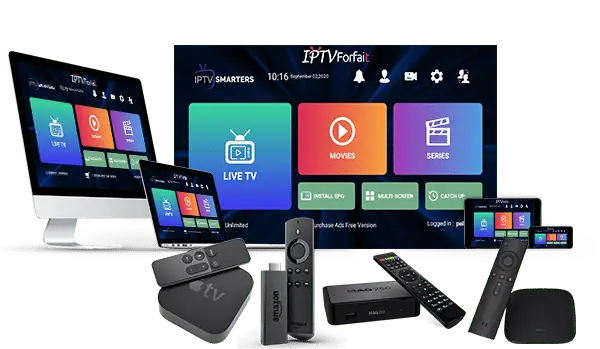
Master your Smartiflix IPTV setup in minutes! Follow our official 2026 Smartiflix IPTV setup guide for Firestick, Android, and Smart TV. Get a fast, 4K buffer-free experience with our easy Smartiflix IPTV setup steps. Start streaming today
Make sure your device is connected to a stable internet connection (at least 15 Mbps recommended for 4K streaming)
After subscribing , you’ll receive your Smartiflix IPTV setup guide and your Layerseven IPTV login credentials instantly by email.
Depending on your device, install one of the compatible apps below to complete your Smartiflix IPTV setup.
You can download SetIPTV / NetIPTV / Smart IPTV from your TV store on Samsung, LG …
Set up on Samsung: Fortunately, Samsung has recently added the IPTV Smarters to their App Stores which means you don’t need to sideload the app now and there is no need for the computer either. These are the steps that you can follow to get IPTV Smarters on Samsung TV in order to use our service:
In case you own the LG which is running the LG WebOS then you can easily get the application from their Store directly. Just like Samsung, they have also added the IPTV Smarters officially to their App Store. Below are the Steps to download IPTV Smarters on your LG to use our service:
Complete installation guide for Firestick and Fire TV devices
Go to Settings → My Fire TV → Developer Options and turn on “Apps from Unknown Sources”
💡 Pro Tip: This allows you to install IPTV apps not available in the Amazon App Store
Download TiviMate (recommended) or IPTV Smarters from the Amazon App Store
Open the app and enter your credentials from your welcome email:
The app will load your channels and EPG guide. Browse channels, test the quality, and enjoy your IPTV experience!
1- Download VLC ( Download URL www.videolan.org
2 – Open VLC Player
3- Go to Media -> Open Network stream.
4- Add your Subscription M3U URL we sent to you and press play.
5- Wait till all the Channels load (this may take some time)
6- In case you are facing any issues with M3U loading, please contact our support team on WhatsApp and they will help you set your subscription.
Step 1: Start by downloading IPTV Smarters app from the Apple Store through this URL :
https://apps.apple.com/in/app/smarters-player-lite/id1628995509
or you can search for it on App store
install the app on your IOS device.
Step 2: Open the app once downloaded and Enter the login details.
Step 3: Enter the login details that we have provided you after you get a subscription with us
Now Click on “ADD USER” to proceed to the next section.
Step 4: Wait some seconds.
Step 5: Now click on “Live TV” icon as depicted in the image via a red arrow.
Step 1: Start by downloading IPTV Smarters app through this URL : https://www.iptvsmarters.com/smarters.apk
Step 2: Open the app once downloaded and Enter the login details.
Step 3: Enter the login details that we have provided you after you get a subscription with us
Now Click on “ADD USER” to proceed to the next section.
Step 4: Wait some seconds.
Step 5: Now click on “Live TV” icon as depicted in the image via a red arrow.
Step 6: Now you must select the channel group that you want to watch and proceed to the next section.
Step 7: Now you must click on the channel name and then double click on the small screen to turn into full screen as the final step.
In case you are facing any issues, please contact our support team on WhatsApp and they will help you set the subscription in your APP.
STB Emulator Setup Instructions:
Troubleshooting STB Emulator
If you have any problems viewing the Channels please follow this recommended fix:
Restart your App, Device/Box, and Wi-Fi Router.
In case you are facing any issues, please contact our support team on WhatsApp and they will help you set the subscription in your APP.
STB Emulator Setup Instructions:
Troubleshooting STB Emulator
If you have any problems viewing the Channels please follow this recommended fix:
Restart your App, Device/Box, and Wi-Fi Router.
In case you are facing any issues, please contact our support team on WhatsApp and they will help you set the subscription in your APP.
Facing issues? Restart your router and device first. Most Smartiflix IPTV setup problems are solved by clearing the app cache or checking your internet speed. For a smooth Smartiflix IPTV setup, ensure your login details are correct. If buffering persists, try a different player app to complete your Smartiflix IPTV setup successfully and enjoy the best Smartflix IPTV setup experience.